A beautiful wedding table should not begin with a shopping cart. It should begin with a plan.
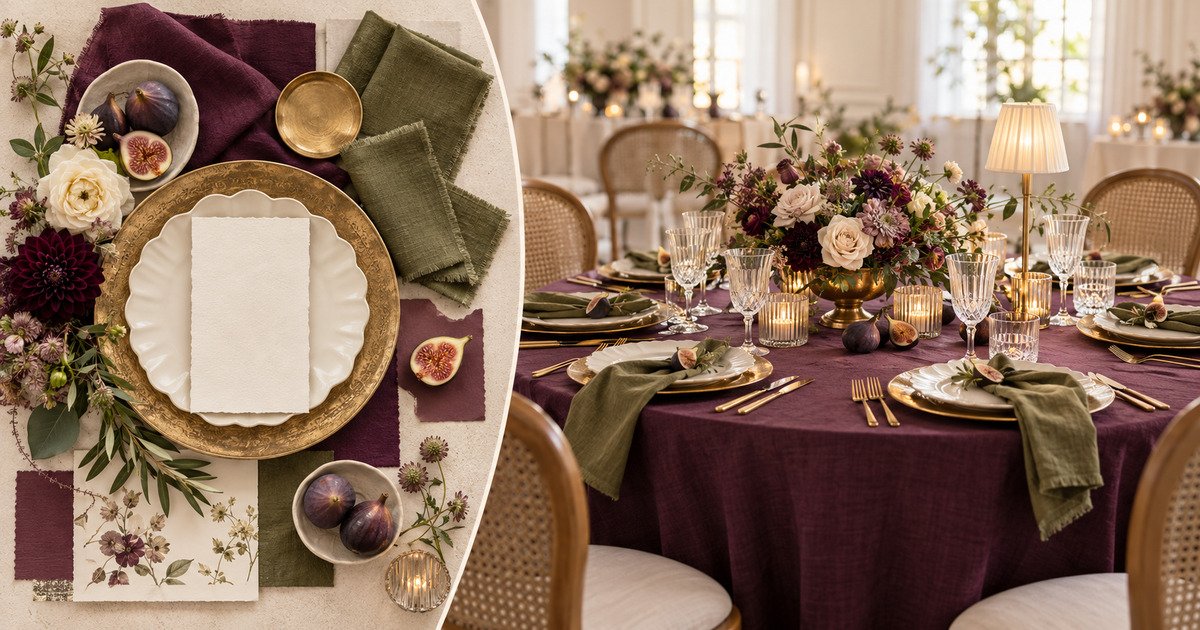
In this tutorial, I am showing you how I create a luxury wedding table mockup in Canva before ordering linens, place settings, flowers, candles, or specialty furniture. The example uses a rich plum, olive green, warm ivory, antique gold, and fig-inspired palette—but the same process works for any wedding style.
The purpose of the mockup is not to promise a photo-perfect final result. It gives you and your client a clear visual direction, helps you catch scale and color problems early, and gives you a practical foundation for sourcing and pricing.
Digital concept illustration. Final products, colors, dimensions, and availability require confirmation.
What This Wedding Table Concept Includes
- A round guest table with a floor-length linen
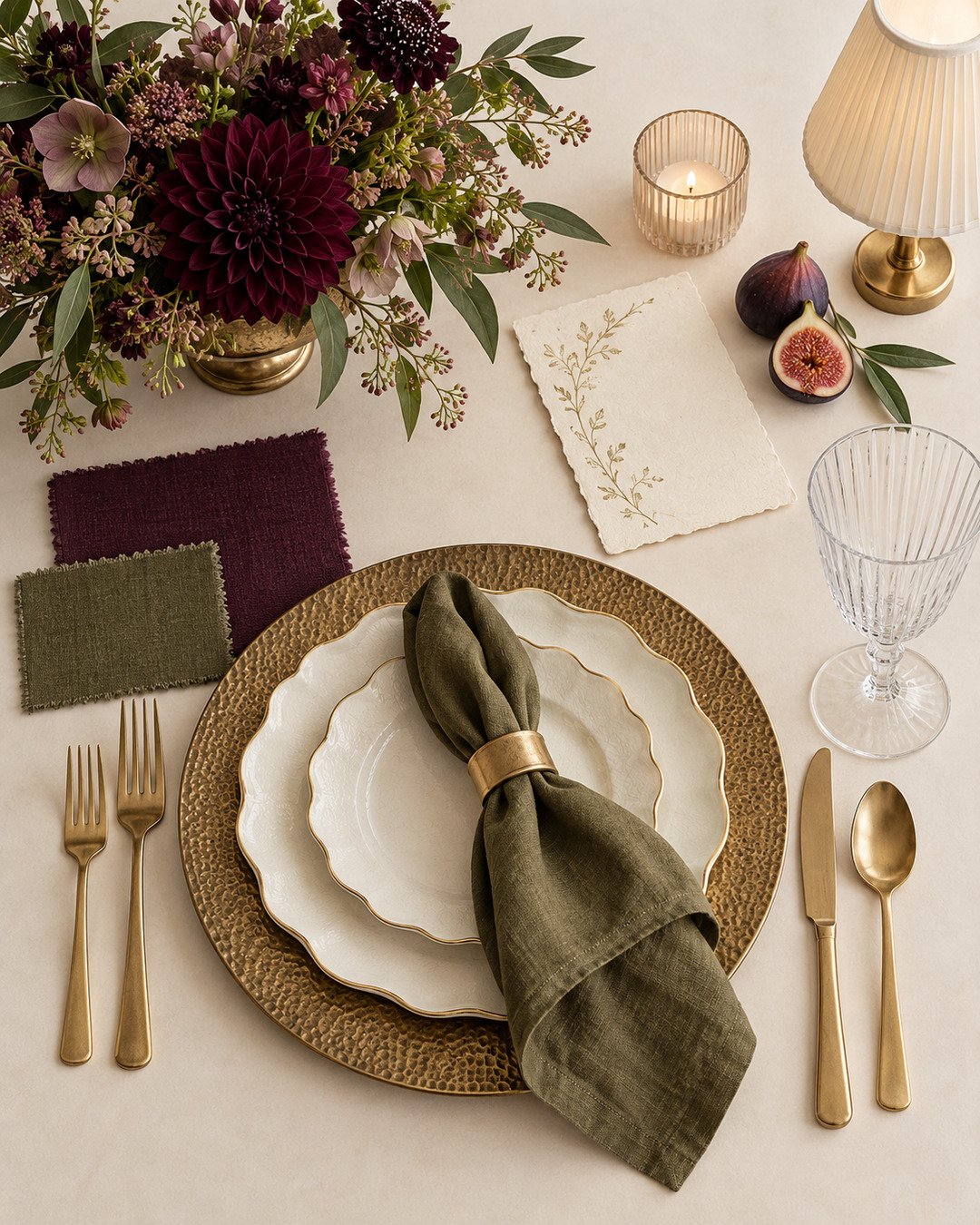
- Gold textured chargers and layered ivory scalloped plates
- Olive or plum napkins with menu cards
- Gold flatware and fluted crystal-style glassware
- A low floral arrangement in a compote bowl
- Plum focal blooms, fig-toned accents, and olive greenery
- Glass votives, a small table lamp, a gold table number, and fresh figs
- A specialty rattan-back chair to soften the formal setting
Planning time: approximately 45–90 minutes once your product images are collected
Skill level: beginner-friendly Canva workflow with professional planning discipline
Best use: client proposals, internal sourcing plans, rental pull sheets, and design revisions
Why Mock Up the Table Before You Buy Décor?
A mood board can communicate a feeling, but a table mockup answers practical questions. Do the napkins disappear against the linen? Is the centerpiece too tall for conversation? Are there so many gold pieces that the table begins to look flat? Does the lamp compete with the flowers? Is the chair style helping the concept or taking it in a different direction?
Solving those questions on screen is faster and less expensive than discovering them after products arrive. A strong mockup can also help a client understand why individual selections belong together instead of judging every rental item in isolation.
Step 1: Begin With the Design Story
Before opening Canva, write one sentence that describes the room you are trying to create. For this concept, the direction is: an intimate, late-summer wedding table that feels European, collected, and luxurious without becoming heavy.
That sentence becomes your filter. Plum brings depth. Olive keeps the palette organic. Ivory creates breathing room. Antique gold adds warmth. Figs connect the colors and introduce an unexpected seasonal detail.
If an item does not support the story, it does not belong in the first mockup—even if you personally love it.
Step 2: Collect Images of the Actual Products
Use images of the products you realistically expect to rent, buy, or create. Confirm that you have permission to use vendor images in a private proposal, and never represent a digitally generated detail as a guaranteed rental item.
For each item, record:
- Vendor or source
- Product name or inventory number
- Dimensions
- Available quantity
- Color or finish
- Whether availability has been confirmed
Choose clean, front-facing or slightly angled images. If possible, remove the background so every object can be layered without a white box around it.
Step 3: Build the Table From the Largest Element Down
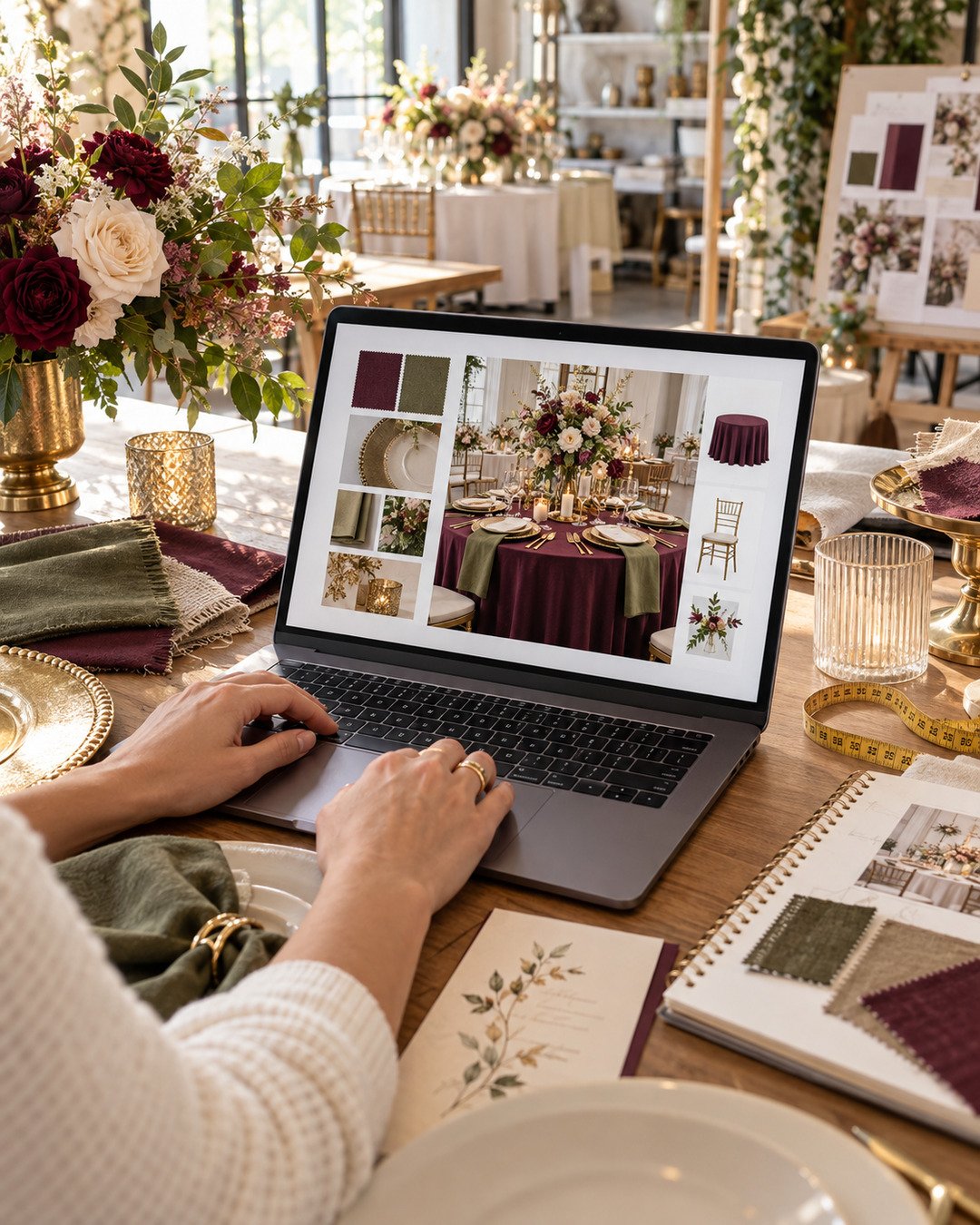
Create a presentation in Canva and begin with the full table silhouette. Add the linen first because it controls the largest field of color. Next, establish the chair style and one complete place setting. Once that place setting looks balanced, duplicate it around the table rather than rebuilding every seat.
A useful layering order is:
- Room or neutral background
- Table and linen
- Chairs
- Chargers, plates, napkins, menus, and flatware
- Glassware
- Centerpiece
- Table lamp, candles, table number, and fruit accents
Work at a large zoom while placing small items, then zoom out frequently. The table has to read as a complete composition, not only as a group of attractive close-up details.
Step 4: Check Scale, Sightlines, and Usable Space
Canva is a presentation tool, not architectural drafting software, so use real measurements to keep the concept honest. Confirm your table diameter and the footprint of every centerpiece component. A low arrangement should allow guests to see across the table, and a lamp should not crowd glassware or menus.
Before approving the concept, check that:
- Every guest has comfortable plate, flatware, and glassware space
- The centerpiece base does not invade the place settings
- Open flames are replaced with venue-approved flameless options when required
- Figs or other food accents are placed on protected, food-safe surfaces
- Cords, battery packs, and mechanics are hidden safely
- The tabletop will not be scratched by metal vessels, lamps, or sign holders
Always protect rental linens and tables with clean pads or discreet barriers under anything that can stain, leak, heat, or scratch.
Step 5: Create a Second Color Option Without Starting Over
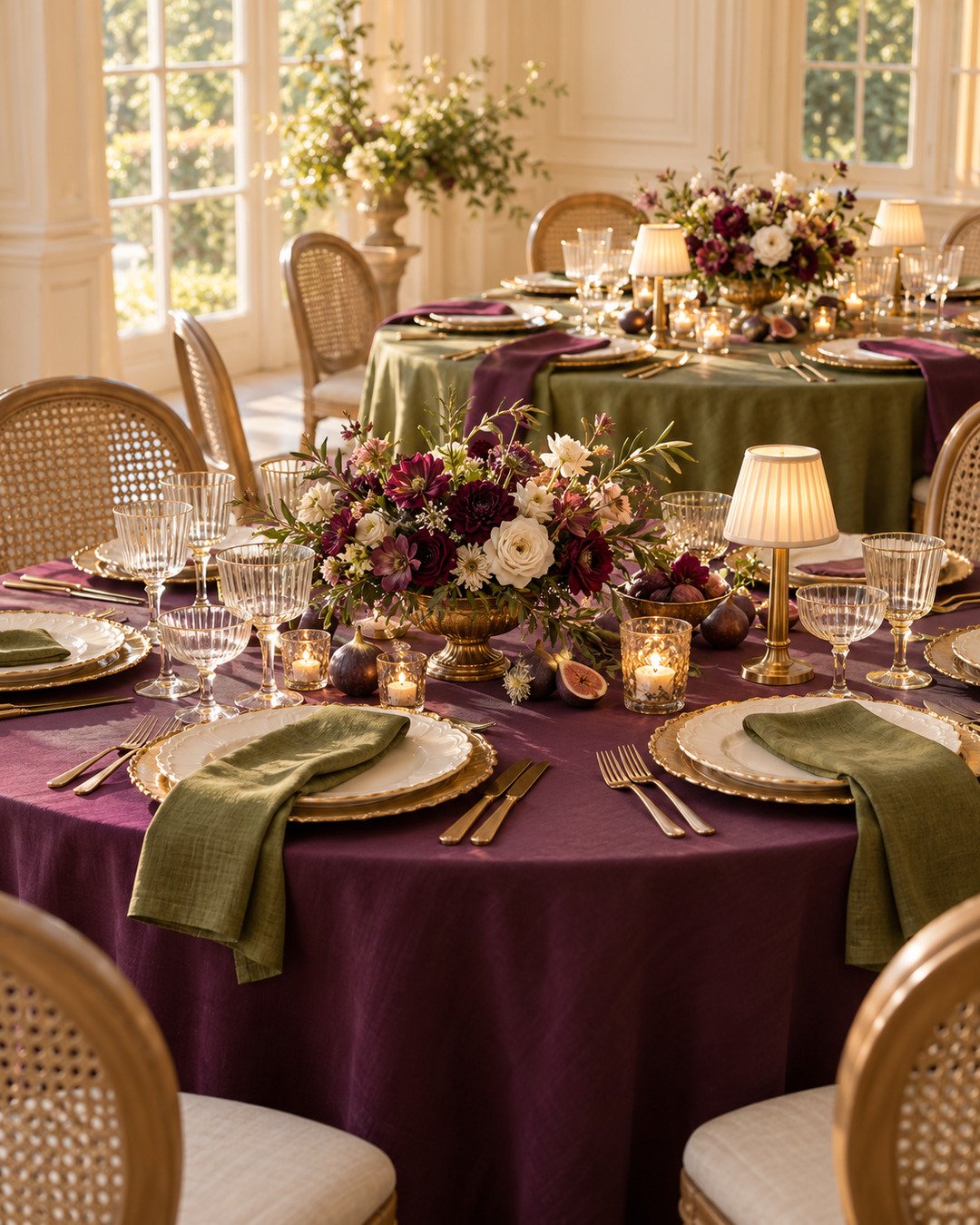
Duplicate the finished page before changing colors. In Option A, use the plum linen with olive napkins. In Option B, switch to an olive linen with plum napkins. Keep the plates, gold finishes, flowers, and accessories consistent so the client can compare the actual color decision—not two completely different designs.
This is also a strong way to protect your creative time. You are developing one design system and testing a meaningful variation instead of creating several unrelated proposals.
Step 6: Turn the Visual Into a Working Sourcing Plan
A client should never receive only the pretty picture. Create a second page or internal worksheet that lists the selections, quantities, dimensions, sources, and confirmation status. Clearly label anything that is still proposed or subject to substitution.
Calculate quantities from the final guest count, table size, and venue floor plan—not from how many objects appear in the illustration. Add a sensible contingency for fragile, stained, or battery-powered items based on your own operating experience and vendor policy.
Budget Guidance Without Guessing
Do not attach invented prices to the mockup. Request current quotes and separate the design into layers:
- Foundation: tables, linens, chairs, place settings, and glassware
- Focal layer: florals, compote vessels, and statement lighting
- Finishing layer: menus, votives, table numbers, fruit accents, and styling labor
- Operations: delivery, pickup, installation, teardown, labor, replacements, taxes, and venue requirements
If the budget must come down, simplify repetition before sacrificing the design story. For example, preserve the plum-and-olive contrast and one strong centerpiece, then reduce extra vessels or accessory density.
Common Mockup Mistakes to Avoid
Using inspiration photos instead of sourceable products
Inspiration is useful for direction, but the proposal should move toward items you can actually obtain in the required quantity.
Ignoring dimensions
A centerpiece may look perfectly low on screen and still block guests in person. Record the real measurements and test a sample table whenever possible.
Showing too many color changes at once
When comparing options, change one major variable. Otherwise, the client cannot tell which decision they are approving.
Presenting the mockup as a guarantee
Products, flowers, colors, and venue lighting can vary. Include a clear concept disclaimer and confirm the final selections in writing.
Forgetting the business costs behind the pretty table
The mockup should lead to an accurate proposal that includes labor, logistics, setup time, teardown, and the risk of damaged or missing inventory.
Troubleshooting
The table looks too dark: Increase the ivory area through plates, menu cards, flowers, or a lighter room background. Do not dilute every color at once.
The centerpiece overwhelms the table: Reduce its width and height, or remove competing accessory clusters. Keep a clear buffer around each place setting.
The gold pieces do not match: Treat mixed gold as intentional by repeating two compatible finishes, or select one dominant finish for the chargers, flatware, vessels, and lamps.
The mockup feels flat: Add variation in height and texture—not more colors. Fluted glass, scalloped china, linen, candlelight, and fruit can create depth within the same palette.
The client keeps requesting unrelated alternatives: Return to the agreed design sentence and ask which goal has changed. Revise the strategy before revising every object.
Frequently Asked Questions
Do I need Canva Pro?
You can build a basic mockup with a free account. Features such as background removal may be faster with paid tools, but a clean source image can also be prepared before it is uploaded.
Is a Canva mockup accurate enough to order from?
No mockup replaces confirmed dimensions, quantities, samples, vendor availability, or a physical test table. Use it as a planning and communication tool.
Should I send the editable Canva file to a client?
A PDF presentation is usually easier to control. Keep your editable working file unless your agreement specifically includes it.
Can I charge for creating the mockup?
It is skilled design work that takes time and supports the sales process. Decide whether it is included in your consultation, design fee, or proposal process, and state that policy clearly before beginning.
Final Review Checklist
- The design story is clear in one sentence
- Every major product is realistically sourceable
- Dimensions and quantities are recorded outside the mockup
- The palette has one dominant color, one supporting color, and breathing room
- Guest sightlines and place-setting space are protected
- Flame, cord, food, surface, and venue rules have been checked
- Proposed items and substitutions are labeled honestly
- Labor, logistics, installation, and teardown are included in pricing
- The client sees a disclaimer before approval
A mockup lets you make expensive decisions while they are still easy to change. Once the concept is approved, you can source with purpose, quote with better information, and walk into the room knowing how every layer supports the finished design.
Find the Right Event Professionals
Need rentals, florals, stationery, lighting, or other partners to bring your concept to life? Explore the Elegant Creators Vendor List and connect with professionals who serve the event industry.

Join the conversation
What do you think?
Share your thoughts, questions or experience with this design. We would love to hear from you.